What the clerk can do
Everything on this page is built and running. The pictures are the clerk's own screens in a sample town, the Town of Eden Falls; the town and everyone in it are made up. Each part is switched on or off by the city.
Meetings and votes
From the agenda to the approved minutes, with the vote record in the middle.
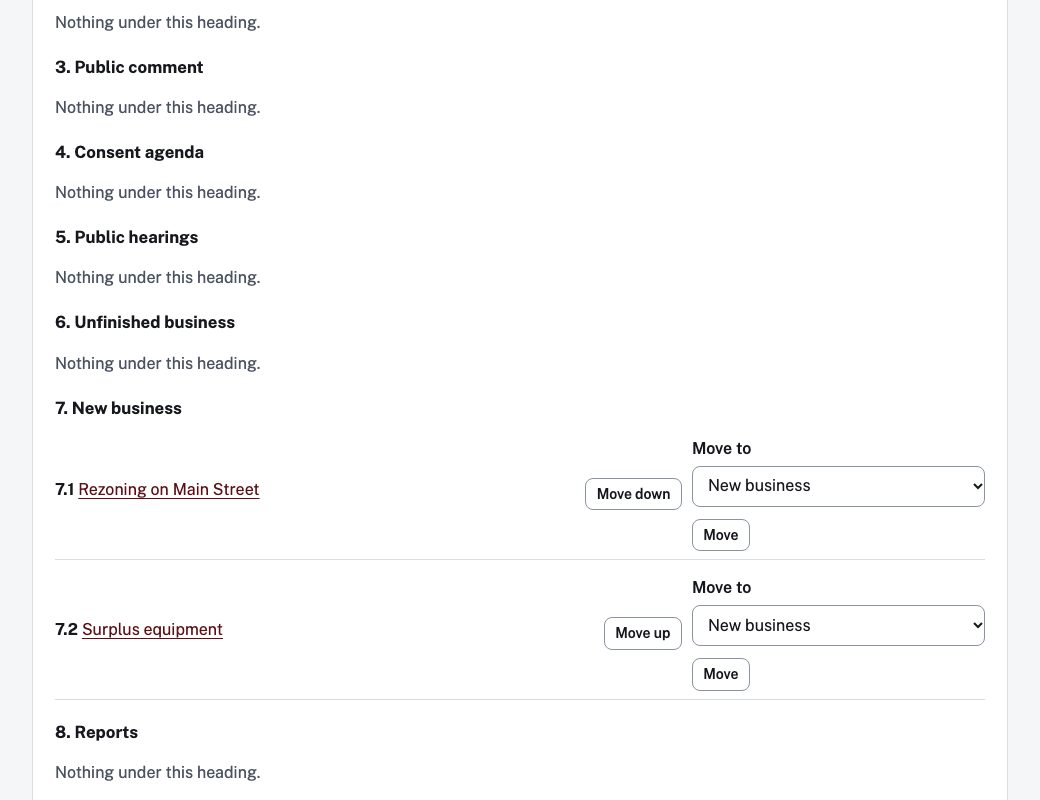
The agenda and the meeting
Departments send in items. The clerk approves them, arranges them under headings and publishes the agenda. The posting time is stamped by the system and never changes, even if the agenda is published again; an amended agenda is announced again in the site's feed.
A packet is built as one accessible document. A city can set hours of notice, and posting inside that window asks the clerk to confirm. It is a warning, not legal enforcement.
Attendance and the vote record
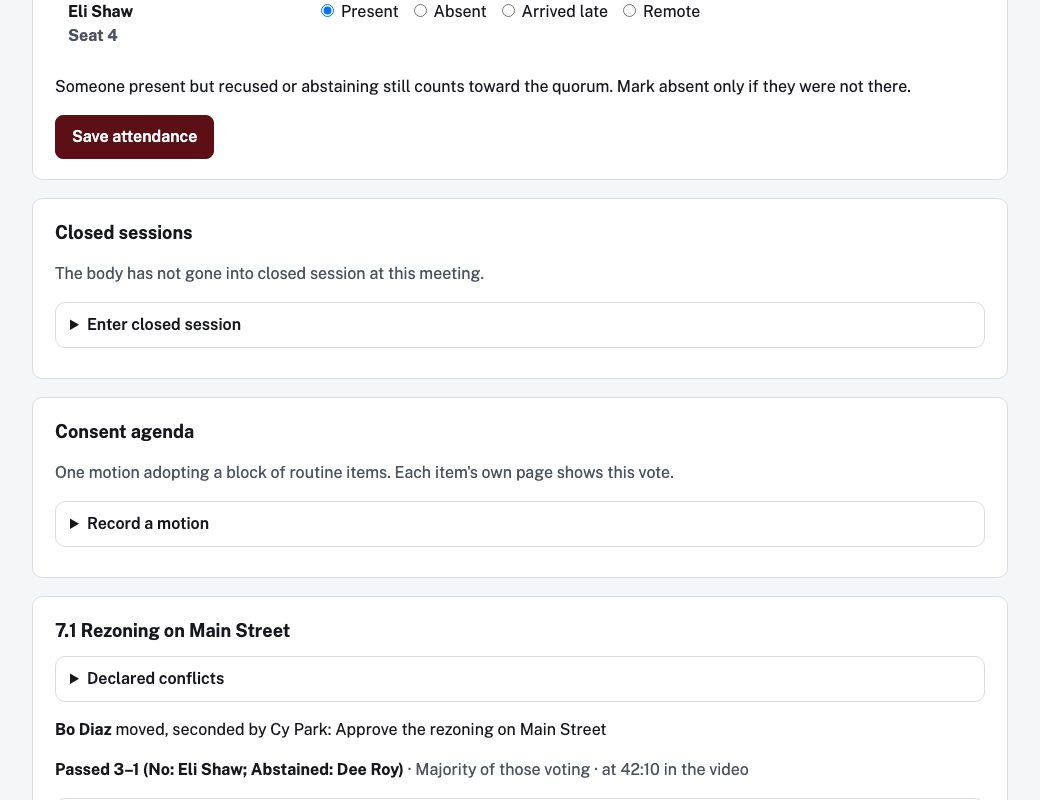
Who was present, each motion, who moved and seconded it, and how every member voted. Each body sets its own threshold and whether the presiding officer votes; a vote can be counted, taken by voice or declared by the clerk. A member's conflict is recorded against the item.
A correction is kept beside the original, never over it. Residents get a page for each official with their votes, and the whole record downloads as a spreadsheet or JSON.
Taking the vote as it happens
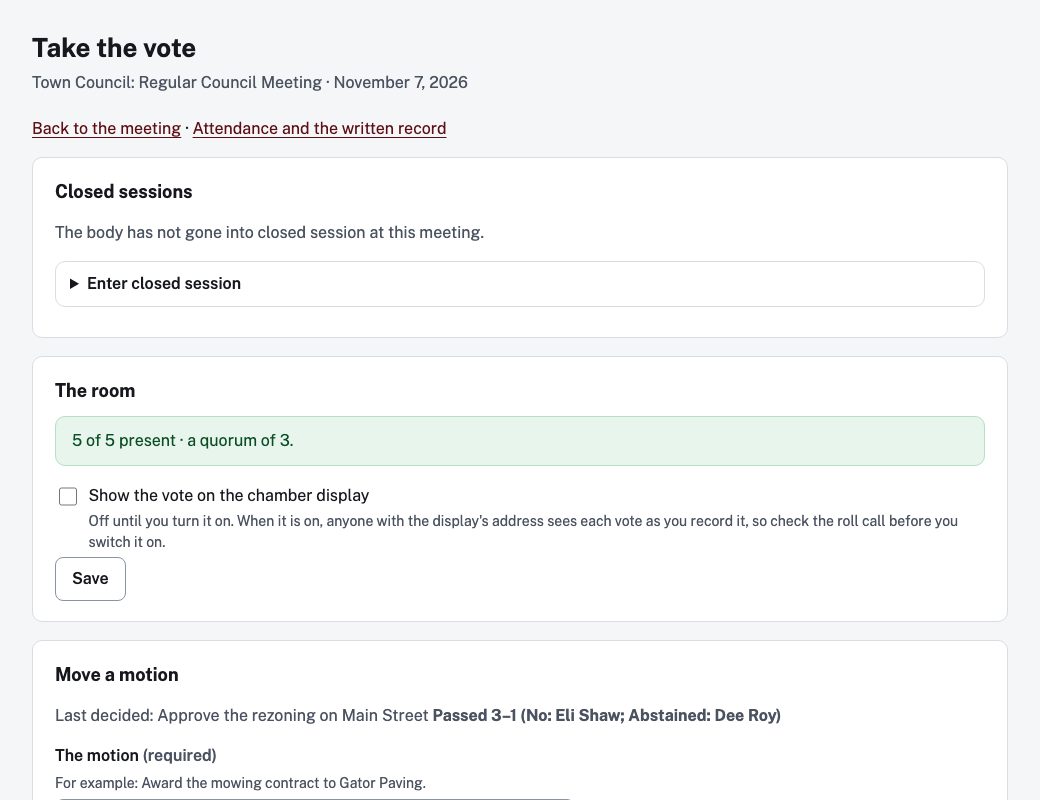
The clerk records each vote in the room. A display for the chamber, switched on by the clerk, shows the motion and the tally as they are recorded and says the result once.
Minutes
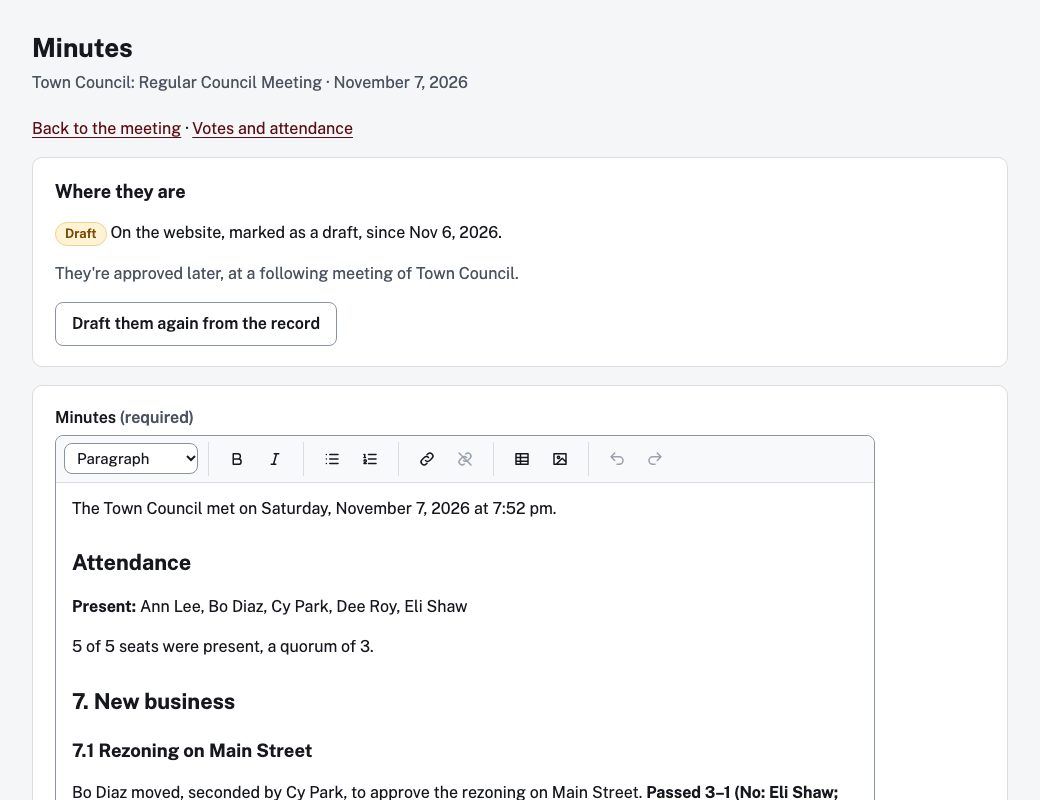
Minutes are drafted from the vote record, so the votes in them are the votes that were taken. The clerk edits, posts and later approves them at a following meeting.
Closed sessions and the state's rules
A closed session is recorded with the section cited, the vote to go in, who announced it and when the open meeting resumes. What is said inside is never kept.
The state's requirements appear beside the form as reminders. Rule files exist for California, Florida, Indiana, Iowa, Kansas, Maryland, Michigan, Missouri, New Hampshire, New York and Texas. An approver can record an entry without a requirement by giving a written reason; an administrator can turn a requirement off for the city; a Monday email to administrators lists the week's.
This is guidance, not legal advice. The rule files are our reading of each state's rules and none has been reviewed by an attorney. Check them with your town attorney.
Writing and publishing
One way to publish everything: draft, approve, schedule, and always a way back.
Accessibility checks while you write
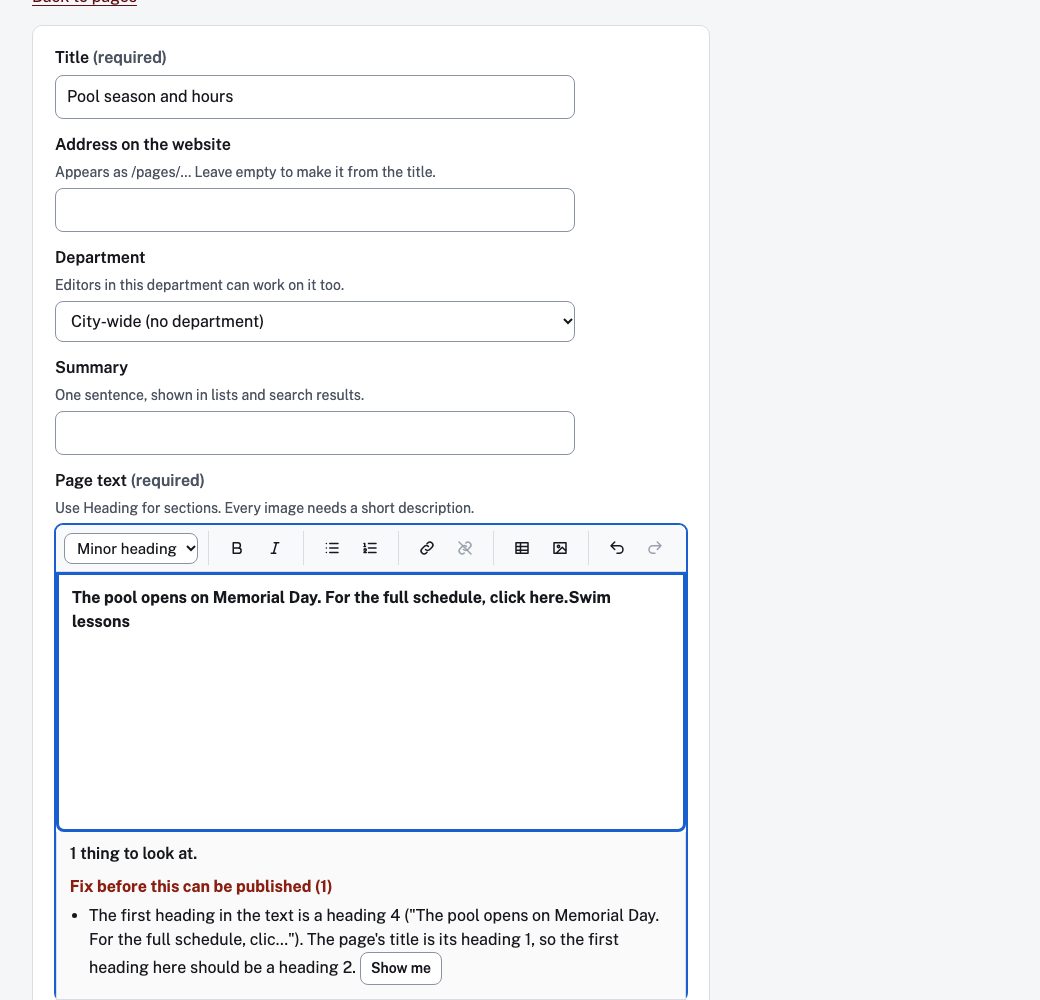
A moment after the clerk stops typing, a panel under the text lists what the automatic checks found: images with no description, links that say only "click here", skipped heading levels, tables with no header row, and more. Show me puts the cursor on the problem.
A missing image description blocks publishing. A skipped heading blocks it too, unless an administrator waives that check with a written reason. The panel says what the checks found; it never says the text is accessible.
The panel is in the page editors today; other editors check when the text is saved or published.
Approval, scheduling and history
An editor drafts, an approver publishes now or on a date, and an edit to a live page is held until it is approved. Every save is recorded with who and when, and restoring an earlier version goes through approval like any other change.
Suggested image descriptions
A first draft of the description, for the clerk to read and change. It is never applied by itself, it is off until the city turns it on, and a screen shows how many were asked for and what they cost.
Pages, news, notices, bids and the rest
Pages, news, public notices, bids and RFPs, events and a calendar with a feed for each, a department page for each department, a staff directory, FAQs with a review date on each answer, a menu written as "how do I…", site search that shows what people searched for and did not find, and old addresses that keep working after a move.
Documents and the accessibility record
The part most vendors sell as an add-on.
A check before anything goes up
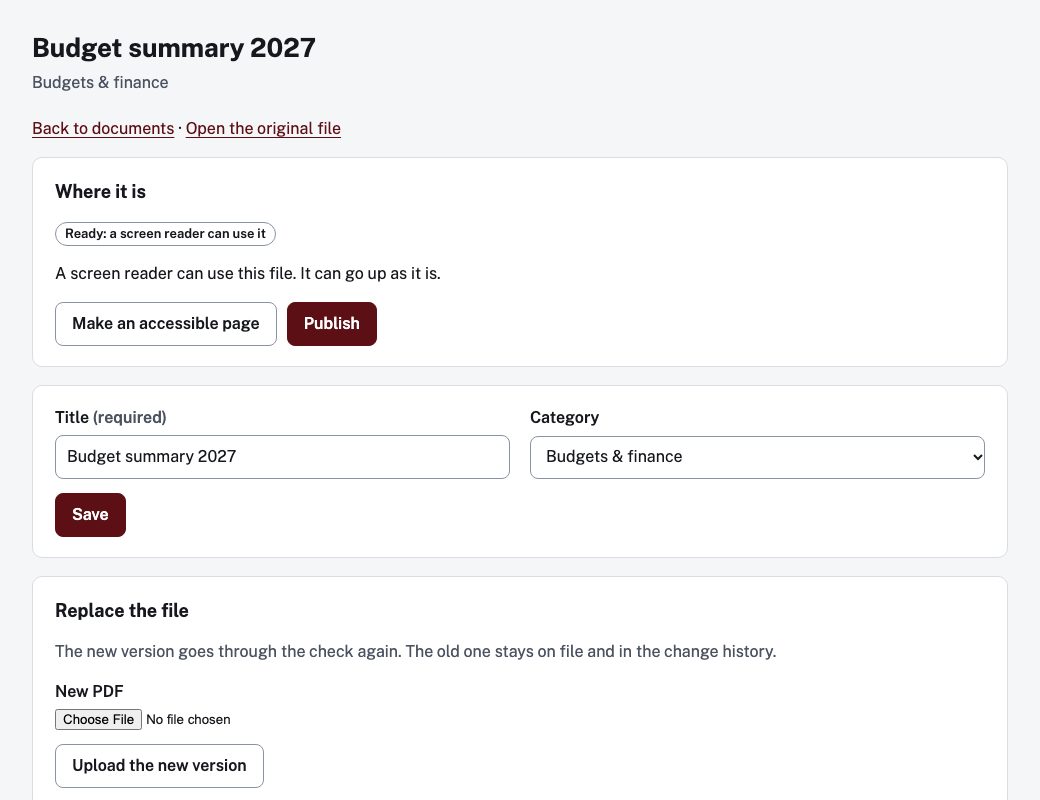
An uploaded PDF is checked before it is published. One a screen reader can use goes up as it is; one that fails becomes a drafted accessible page with Please check flags where a person should look. The result of each check is kept.
Monitoring and the council report
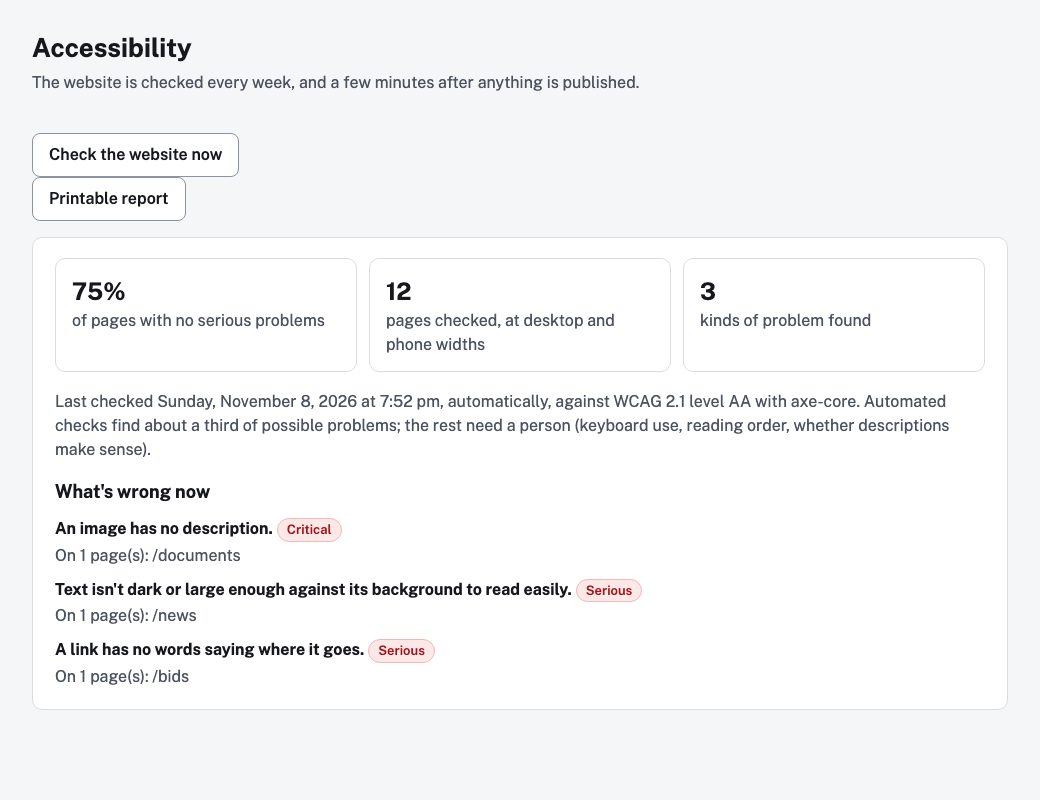
The public pages are scanned weekly and after changes, at desktop and phone widths. Issues appear on one screen and can be resolved or ignored only with a reason. A printable report for the council, a spreadsheet export and a summary for the accessibility statement come from the same record.
Automated checks find many problems, not all of them. The report says what the checks found and when, and never says "compliant".
What residents can do
Each part is the city's to switch on, and each works with a keyboard.
Report a Concern
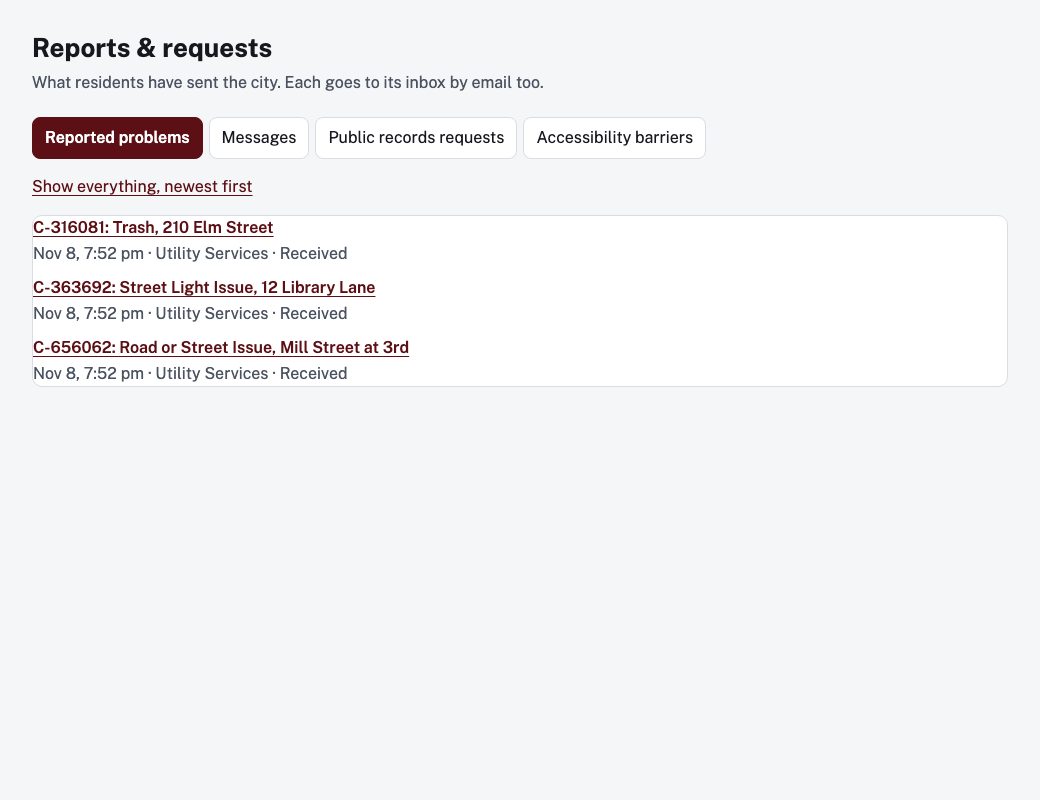
Residents report a pothole or a light that is out in up to six short steps, with an address search and up to five photos. Staff route and answer each report; a public page shows status with addresses rounded to the block and no names.
Public records requests
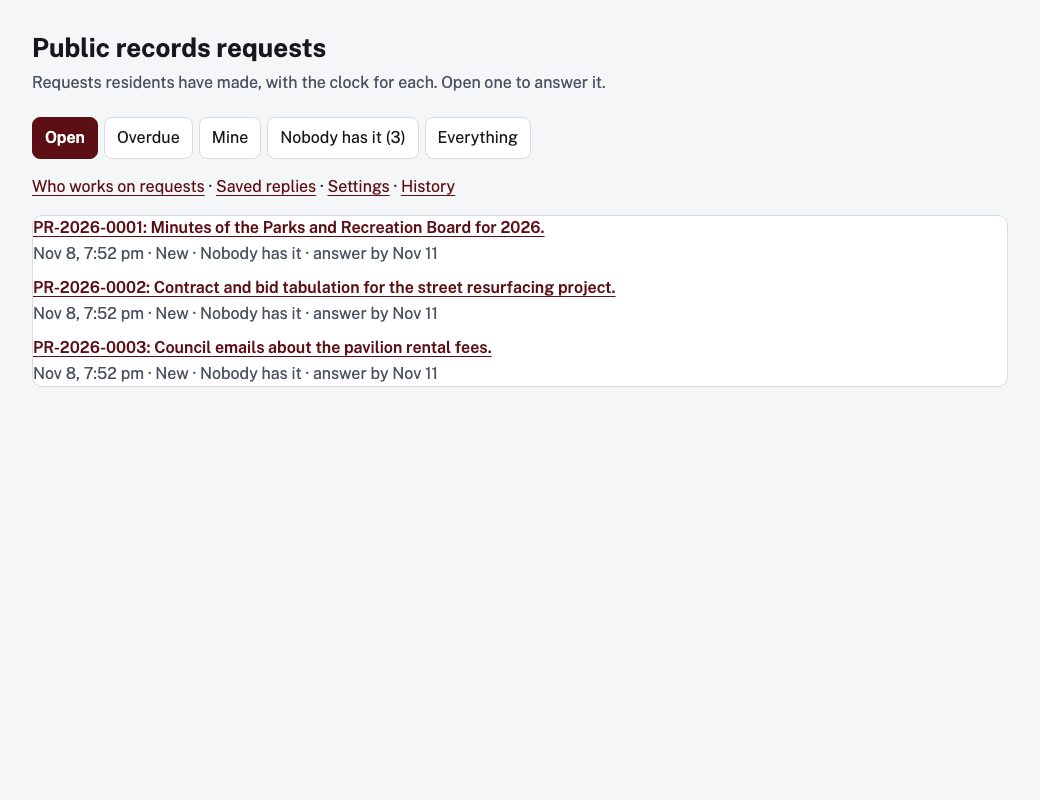
A tracking number for every requester, a staff inbox with due dates from the city's own rules, recorded reasons for any denial, and a history nobody can edit. It does not promise compliance with any state's law.
Reservations
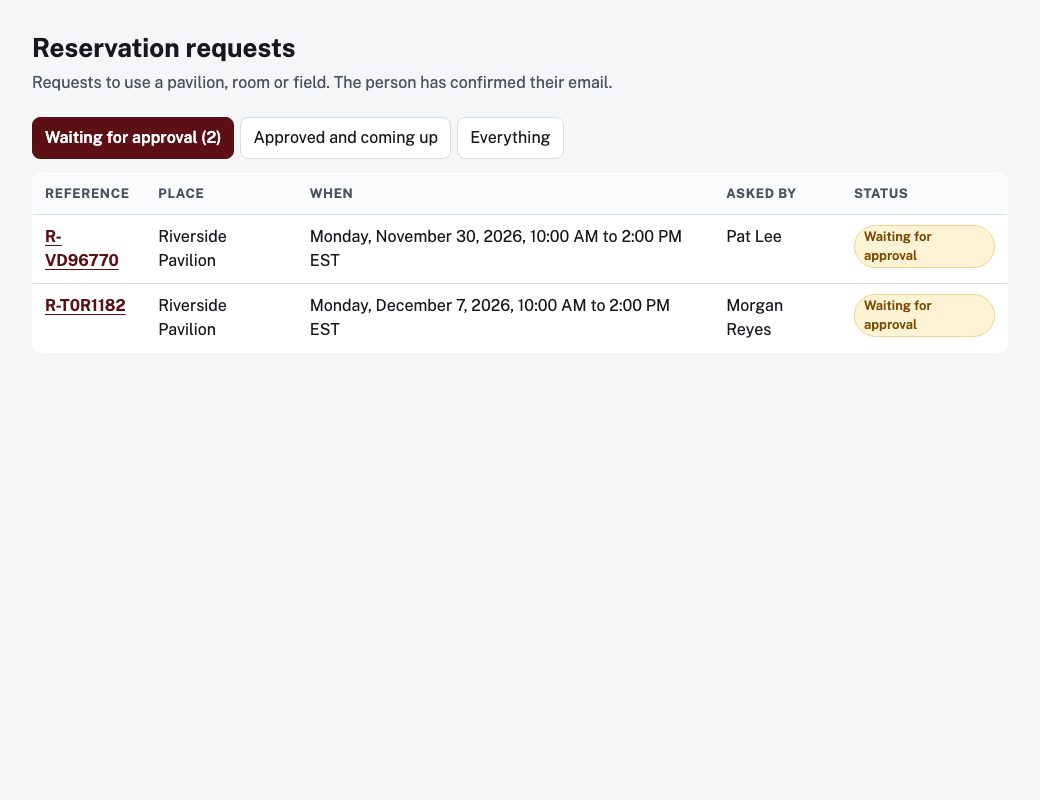
Residents see an availability calendar and ask to reserve a pavilion, room or field. They confirm by email, staff approve or decline, and the emails carry calendar invites. Two approved bookings can never overlap. Payment is not taken on the site.
Online forms
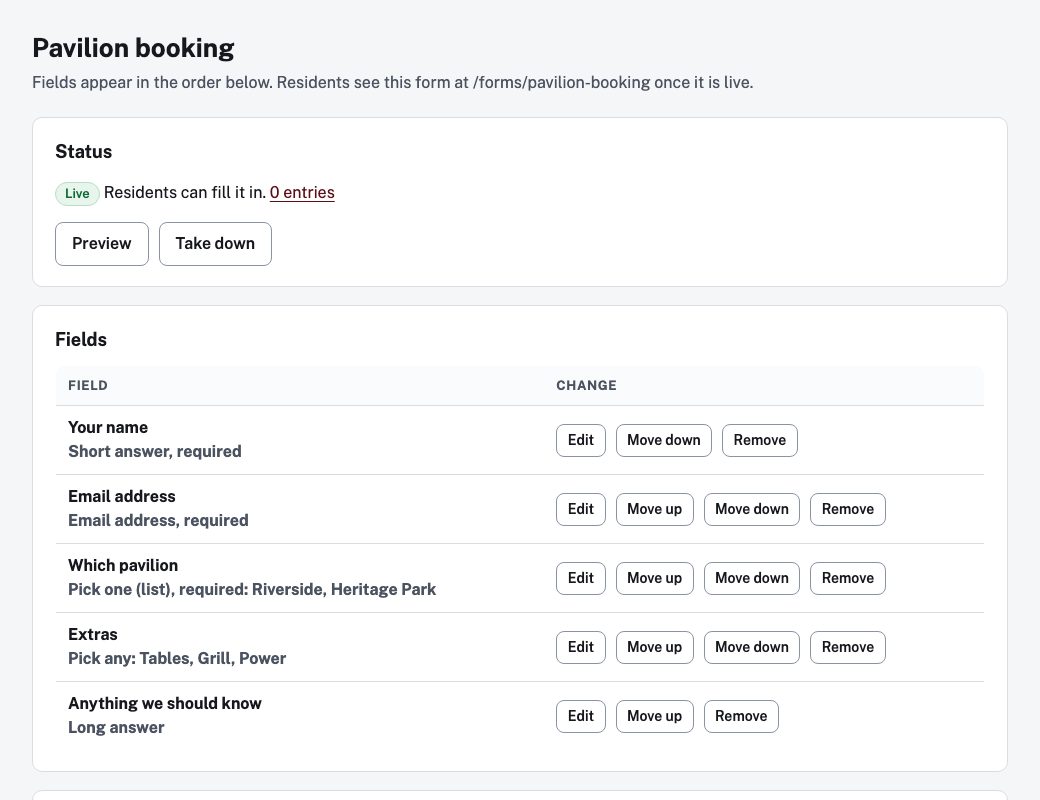
The clerk builds a form on the screen from a short list of field types, previews it and publishes it. Entries land in an inbox with status and notes and download as a spreadsheet; a keep period set per form clears old entries. There are no payments, file uploads or conditional questions yet.
Emergency alerts
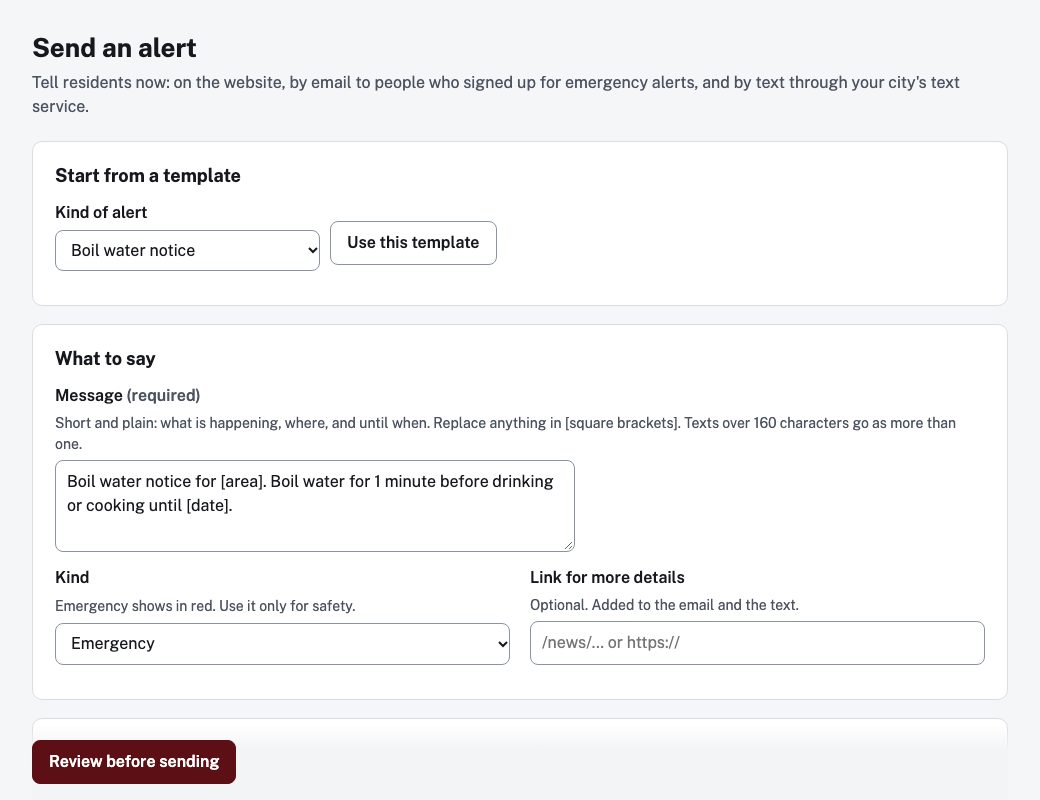
One screen posts the banner on the website, emails residents who chose emergency alerts and sends one request to the city's own text-message service. Every alert is kept as a record. The text service is the city's, and an alert never stores a phone number on this site.
And more
Boards and commissions with an application anyone can make and a queue for staff. A business directory with a map. Weekly email updates by topic with one-click unsubscribe. A page and blog for each council seat that stay under the old holder's name when the seat changes hands. A language picker, off unless the city chooses it, and share buttons that load nothing until clicked. A zip of the whole site, when an administrator asks for one.
Running the site
Named accounts, a checklist before the domain switches, and a record of what residents read.
Staff accounts and sign-in
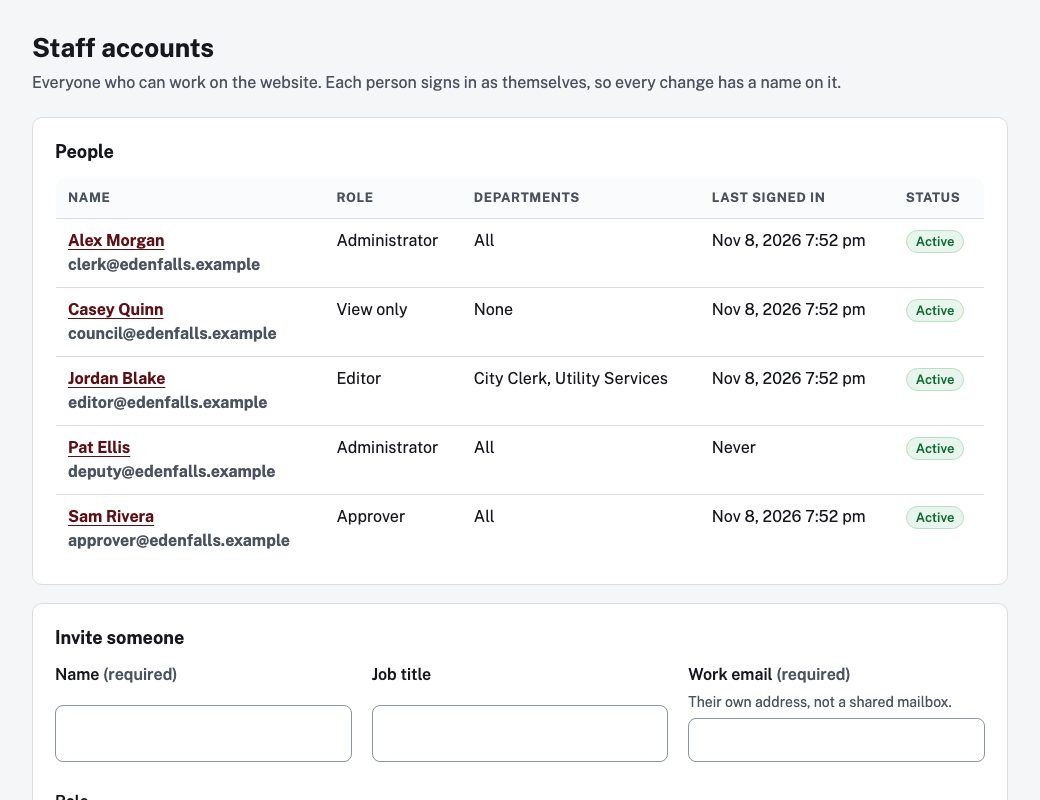
Each person signs in as themselves, with a role: administrator, approver, editor or view-only. Editors work only on their departments. Sign-in is a passkey, a password with an authenticator app, or an emailed code, by city and role, and a city needs two administrators before it goes live.
Going live and what it costs to leave
A go-live checklist checks the domain, HTTPS, email and that two administrators have signed in before the switch. The city keeps its domain and its content, and an administrator can ask for a copy of the whole site whenever they like.
Visits
Counts of the most-read pages, documents and searches, made by the site itself with no cookies and no outside service.
Not yet offered
Said plainly, so nobody buys something that is not there.
- Hiring. Job openings, a multi-step application, an applicant portal, interview scheduling and panel scorecards are built and tested, and are not yet offered to cities.
- Photo galleries. Planned, not built.
- WCAG 2.2 checks. The scans test WCAG 2.1 AA today.
- Department sections. A branded home and navigation for a department such as police or parks, in design.
- Payments, permits and elections. Today these are menu links to your existing service or page, not modules.
- Florida's attorney-client closed session, and the closed-session record some states ask for. Not built.
See your own town's meetings on it
We will set up a demo with your governing bodies and a real agenda, so you can see exactly what residents and your council would see.
Book a demo